
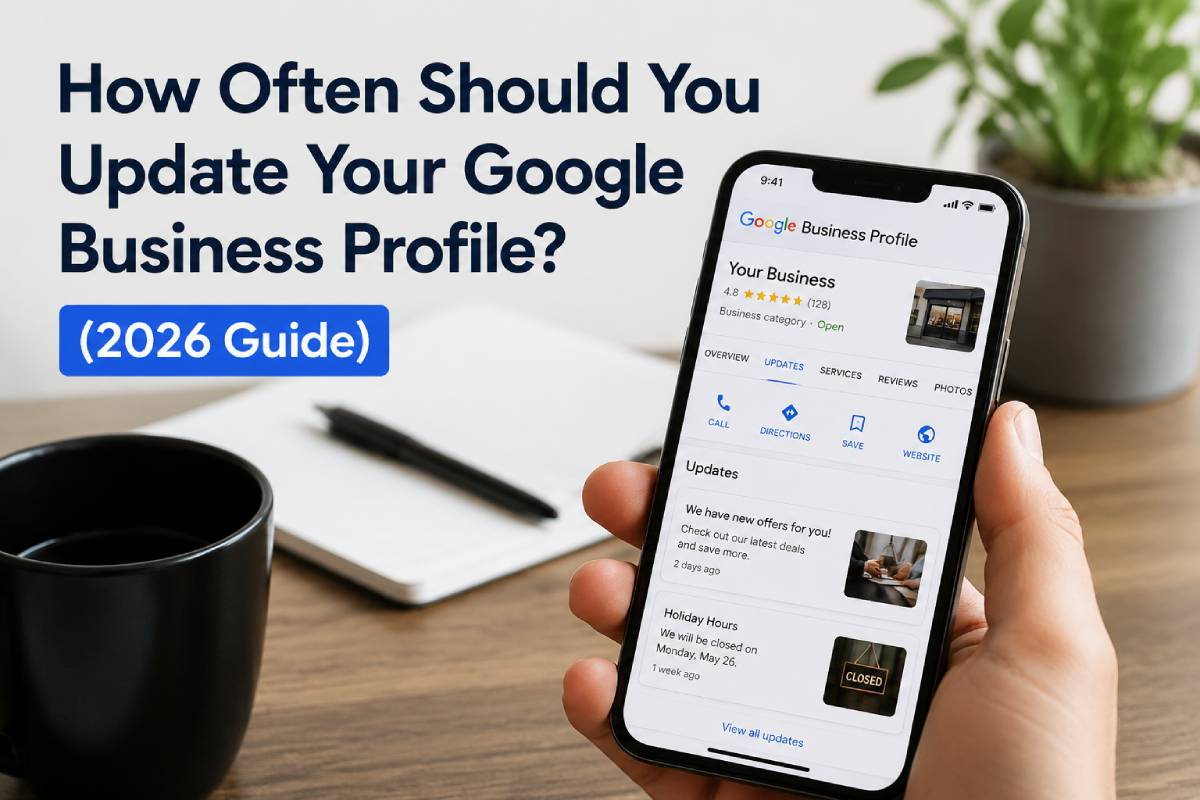
How Often Should You Update Your Google Business Profile? (2026 Guide)
Update your Google Business Profile at least once a week and review it thoroughly every month. If your hours, photos, services, or reviews are outdated, customers will choose competitors. Google ranks local businesses based on relevance, distance, and prominence, and an inactive profile damage all three.
Table of Contents
Why Your Profile Can't Sit Still
You set up your Google Business Profile. Added your address, phone number, hours, and photos. Then life got busy.
Three months later, calls slow down. A competitor appears above you on Google Maps. A customer says, "I wasn't sure if you were open."
The problem: Your Google Business Profile isn't a one-time setup. It's a living asset that needs regular attention.
When your profile looks active and accurate, customers trust you. When it looks abandoned, they hesitate, and hesitation kills calls.
How Often Should You Update?
|
Update Type |
Frequency |
|
Posts, Photos, Reviews |
Weekly |
|
Hours, Services, Contact Info |
Monthly |
|
Emergency Changes |
Immediately |
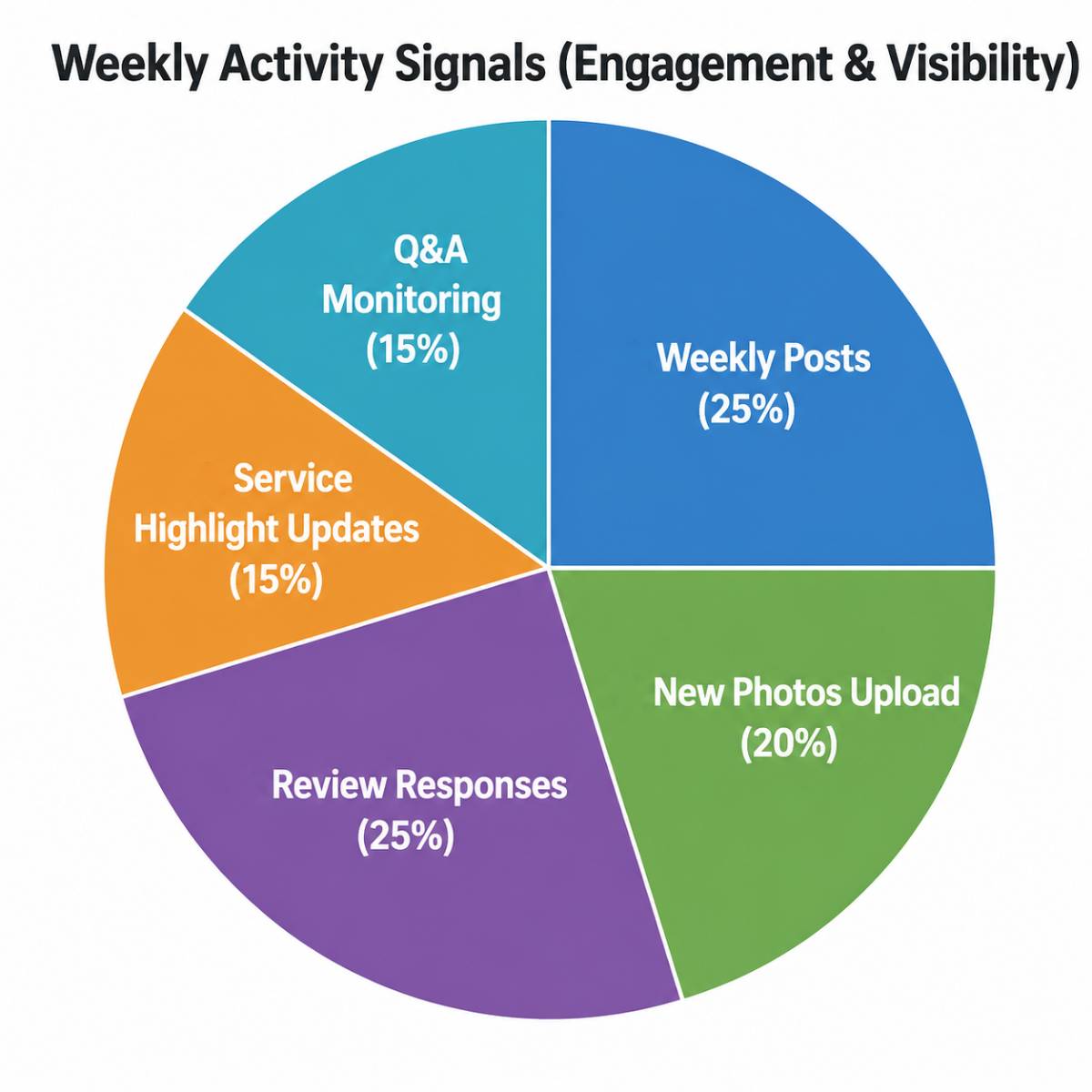
Weekly Updates
-
Add a short post (offer, announcement, seasonal update)
-
Upload 1-3 fresh photos
-
Respond to new reviews
-
Highlight one specific service
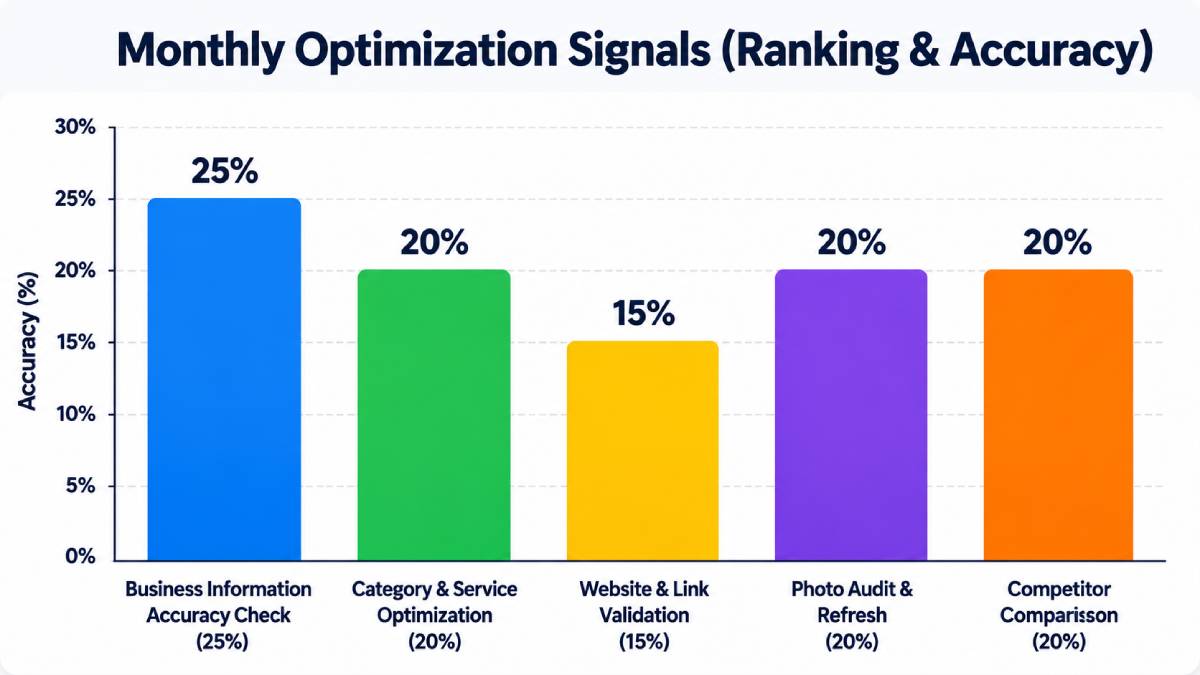
Monthly Checks
-
Verify business hours and holiday hours
-
Test phone number and website link
-
Review services and categories
-
Check for unanswered customer questions
Immediate Updates
What to Update Weekly
1. Add a Fresh Post
Keep it simple:
Restaurant: "Open for dinner all week. Try our new lunch special!"
Clinic: "Now accepting new patients. Book online today."
Contractor: "Spring projects filling fast. Ask about deck repairs."
Short, useful posts show customers your business is active right now.
2. Upload New Photos
Photos are critical for trust. Customers judge your business visually before reading anything.
Good weekly photo ideas:
-
New products or inventory
-
Completed projects (before/after)
-
Staff at work
-
Storefront or interior
-
Food items (for restaurants)
-
Seasonal displays
Keep photos clean, bright, and recent. Old photos make your business look inactive.
3. Respond to Reviews
Google considers reviews and ratings important for local ranking.
Responding to reviews shows:
-
Customers you care
-
Your profile is actively managed
Simple response: "Thank you for visiting! We're glad you had a great experience."
For negative reviews: Stay calm, professional, and avoid arguments.
4. Highlight One Service Weekly
Customers search specifically:
-
"Walk-in clinic near me"
-
"Emergency plumber Scarborough"
-
"Roof repair Mississauga"
-
"Google Maps SEO Toronto"
Regularly highlighting services helps customers understand what you actually do.
What to Check Monthly
Business Hours
Wrong hours cost you customers. Someone drives over when you're closed, or doesn't come when you're open. Check regular and holiday hours every month.
Phone Number & Website
Test both. Old tracking numbers, broken call forwarding, or dead links make your business look unprofessional and cost you leads.
Services & Categories
Make sure your services match what people search for:
Weak: "Home services"
Strong: "Basement renovation, kitchen renovation, bathroom renovation, flooring installation"
Complete and accurate information helps Google understand your business better.
Reviews & Questions
Check for unanswered customer questions. An unanswered question makes your business look asleep.
Why Inactive Profiles Lose Customers
Customers don't analyze your profile slowly. They scan, compare, and decide fast.
If three businesses appear and one has:
-
Fresh photos
-
Recent reviews
-
Updated posts
-
Correct hours
That business feels safer.
The inactive profile feels risky, even if your service is better. Online, people judge what they can see.
Google Maps SEO isn't just about ranking. It's about conversion. Showing up is step one. Getting the call is step two.
Common Google Business Profile Mistakes
Mistake 1: Treating It Like a Business Card
Your hours, services, and photos change. If your profile still looks like last year, customers notice.
Mistake 2: Only Updating When Something Goes Wrong
Regular maintenance is easier than fixing months of neglect.
Mistake 3: Ignoring Photos
Old photos make customers wonder if you're still active.
Mistake 4: Not Responding to Reviews
Silence feels cold. Replying to reviews is part of Reputation Management.
Mistake 5: Wrong Services or Categories
If your categories don't match how people search, Google may not understand your business.
Mistake 6: Inconsistent Business Information
Your name, address, and phone number should match across all online listings. This is where Citation Management helps.
How Updates Help Google Maps SEO
Google ranks local results based on relevance, distance, and prominence.
You can't control where searchers stand. But you can control how complete and trustworthy your profile looks:
-
Relevance: Clear services, categories, and posts help Google understand your business
-
Prominence: Reviews, responses, and reputation support visibility
-
Confidence: Fresh photos and recent posts build customer trust
This matters especially in competitive GTA areas: Toronto, Mississauga, Brampton, Vaughan, North York, Scarborough, and Markham.
Simple Update Schedule
|
Frequency |
Actions |
|
Weekly |
Add 1 post, upload 1-3 photos, respond to reviews, highlight 1 service |
|
Monthly |
Check hours, phone, website, services, categories, photos, reviews |
|
Quarterly |
Review competitors, refresh description, audit citations, check keywords |
This schedule works, but staying consistent is the hard part. Most business owners fall off after a few weeks. We make it easy with monthly Google Business Profile management. Learn About Our GBP Management Services
Industry-Specific Advice
Restaurants
Update weekly. Menu changes, specials, and food photos matter most. Customers ready to order need current information.
Clinics & Healthcare
Check monthly. Accurate hours, appointment links, and services build patient trust.
Contractors
Update project photos often. Before/after images and completed work build credibility.
Retail
Update weekly with new arrivals and seasonal displays.
Service Businesses
Update weekly with insights, case studies, and service highlights.
-
Why Your Business Feels “Unknown” Even in Your Own City (Even When You’re Active Online)
-
The First 10 Seconds on Your Website Can Make or Break a Sale
-
Why Some Businesses Keep Posting on Social Media but Still Don’t Get Customers
FAQs
1. How often should I post?
Once a week. Short, useful posts keep your profile active.
2. Do updates help rankings?
Yes, they support relevance and prominence, two of Google's main ranking factors. Fresh content and accurate information help Google understand your business.
3. What should I update first?
Start with basics: hours, phone, website, services, and categories. Then focus on photos, posts, and review responses.
4. Should I update if nothing has changed?
Yes. Add a post, upload a photo, or highlight a service. Keep your profile helpful and current.
5. Why did my calls slow down?
Possible reasons: competitors improved their profiles, your photos look outdated, hours are wrong, services unclear, or website link isn't converting. A Local SEO audit can identify the problem.
Final Thoughts
Your Google Business Profile is where customers judge your business before they call.
Before they call, they check you. Before they visit, they compare you. Before they book, they look for signs you're active and trustworthy.
So:
-
Weekly: Posts, photos, reviews
-
Monthly: Hours, contact info, services
-
Immediately: Important changes
This simple routine prevents the slow leak that costs you customers.
About Unlimited Exposure Online
Unlimited Exposure Online is a Toronto-based digital marketing and web development agency helping businesses across the GTA build stronger online visibility, authority, and long-term growth.
We specialize in Google Business Profile Optimization, Local SEO, Google Maps SEO, reputation management, citation management, website design, and technical SEO. Our team works with business owners and growing companies that have real expertise but struggle to communicate it effectively online.
Whether you need a complete Google Business Profile audit, monthly profile management, or a full local SEO strategy, we develop practical solutions designed around your business goals.
If your local visibility isn't getting the attention it deserves, we can help.
